Dell 470-ACEY Compatible 25G SFP28 Passive Copper Twinax Cable, 4m (13ft)
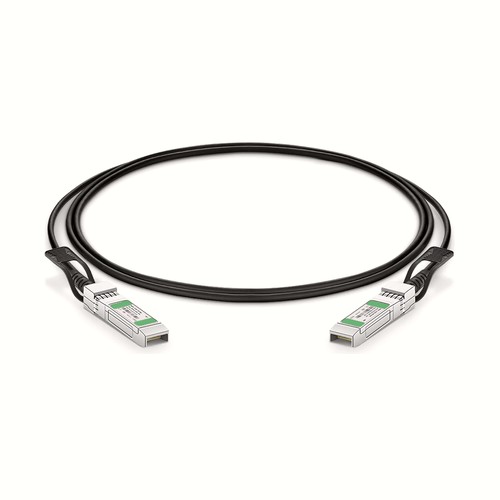
This 470-ACEY compatible DAC cable provides a 25G direct connection for Dell equipment in a fixed 4m (13ft) configuration. The SFP28 to SFP28 assembly integrates both ends and the cable, giving data-center designers one defined product to evaluate for reach, rack layout, airflow and host compatibility.
OEM Part Number: 470-ACEYHT Part Number: 470-ACEY
Product Highlights
- Compatible alternative to Dell 470-ACEY
- 25G connectivity at 25Gbps
- Interface configuration: SFP28 to SFP28
- Fixed length and part number: 4m (13ft), 470-ACEY
- Conductor specification: 26AWG
- Minimum bend radius: 28mm
Specifications
| HT Part Number | 470-ACEY |
|---|---|
| Dell Compatible | 470-ACEY |
| Manufacturer | HT |
| Connector Type | SFP28 to SFP28 |
| Max Data Rate | 25Gbps |
| Minimum Bend Radius | 28mm |
| Wire AWG | 26AWG |
| Cable Length | 4m (13.12ft) |
| Jacket Material | PVC (OFNR) |
| Typical Power Consumption | ≤0.5W |
| Power Supply | 3.3V |
| Temperature | 0 to 70°C (32 to 158°F) |
| Protocols | IEEE 802.3, SFP28 MSA, SFF-8402, Infiniband, EIA 364-1000 |
| Application | 25G Ethernet, Data Center, 5G Wireless |
Cable Construction and Routing
This assembly uses 26AWG conductors, PVC (OFNR) jacket, minimum bend radius 28mm. These mechanical characteristics affect how the cable should be dressed behind the equipment. Avoid sharp edges, excessive ties and repeated tight bends close to the connector boots.
Length Selection and Installation Planning
The 4m (13ft) length gives 470-ACEY more freedom for adjacent-rack and row-end deployments. Longer copper runs need particular attention to routing weight and bend control; the DAC specification and host support must still match the intended link.
Position Within the Length Range
470-ACEY occupies the middle of this family between 470-ACEU at 3m (10ft) and 470-ACEY at 5m (16ft). It adds 1m over the shorter option for extra routing clearance, while the next longer version adds another 1m. Measure the managed path and choose this version when its reach is sufficient without creating the slack associated with the longer assembly.
Data-Center Design and Airflow
Select the assembly by both reach and rack layout. A direct connection removes separate module-and-patch-cord interfaces, but it still needs a bend-safe pathway and clear connector access. Keep cable bundles from blocking front-panel airflow, account for the listed interface power where applicable and choose a length that supports maintenance without leaving an unmanaged coil. For this assembly, the listed conductor specification is 26AWG; the minimum bend radius is 28mm; the jacket material is PVC (OFNR).
Network and Protocol Considerations
The intended application is 25G Ethernet, Data Center, 5G Wireless. Listed interface and protocol references include IEEE 802.3, SFP28 MSA, SFF-8402, Infiniband, EIA 364-1000. Confirm that the host firmware and port configuration support the same operating mode.
Passive Copper Operation
A passive DAC has no separate optical conversion stage. Its low-power, low-latency operation is useful for short equipment links, but the assembly must remain within the length and signaling mode accepted by both hosts.
Quality Assurance and Packaging
Each cable receives connector inspection and a functional link check before it is coiled with bend-safe slack and packed. Protective materials shield the connector housings during transport. Rack or project labels are available to keep length, part number and installation destination aligned. Neutral packaging and customer-specific packing documentation are available on request.
Ordering Information
Provide the OEM reference, HT part number, fixed length and quantity, together with the intended host interfaces. Rack-based quantities and packaging instructions can be included for larger deployments. Other lengths are separate products and should be entered on their own order lines. Quantity and any labeling instructions should be attached specifically to 470-ACEY.
Dell Compatibility and Factory Testing
Compatibility confirmation combines host identification with actual link establishment and diagnostic checks. The assembly is prepared for the stated OEM reference rather than selected only by connector shape. For a new data-center deployment, the equipment model, port mode and software release provide the most useful basis for a pre-order review. Where supported by the host, link stability and diagnostic indications are reviewed together with the established link.
Frequently Asked Questions
Is this an original Dell cable?
No. It is an HT-manufactured compatible alternative for equipment that specifies Dell 470-ACEY.
Can excess cable be folded into a compact bundle?
No. Use a supported, bend-safe service loop and observe the listed minimum bend radius. Do not crease the cable or tighten ties around the connector boots.
Will any matching connector operate at the same speed?
Not necessarily. Both hosts must support the stated rate, identification, lane mapping and any required breakout configuration; mechanical compatibility alone is insufficient.
What details assist a compatibility review?
Provide the equipment manufacturer, model, port type, hardware revision and software release, together with the OEM reference, required length and quantity.
Shipping and Lead Time
Available stock is generally dispatched within one to three working days after order confirmation, with production lead times advised for larger quantities. Worldwide courier services are available, with air or sea freight for consolidated shipments; freight-collect delivery and coordination with a customer’s logistics provider can be arranged.
Fiber Optic Cables
Fiber Optic Transceivers
Featured Products
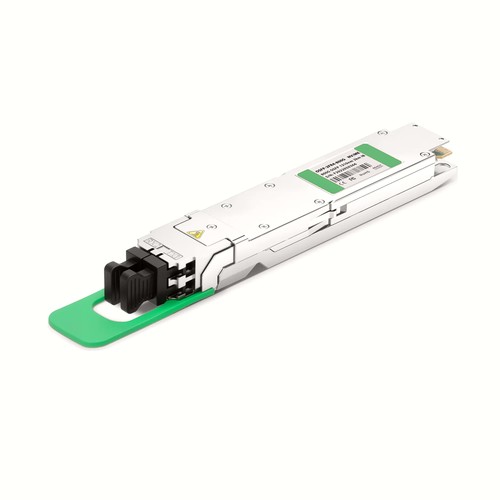 800G TransceiversOSFP and QSFP-DD modules for AI data center networks
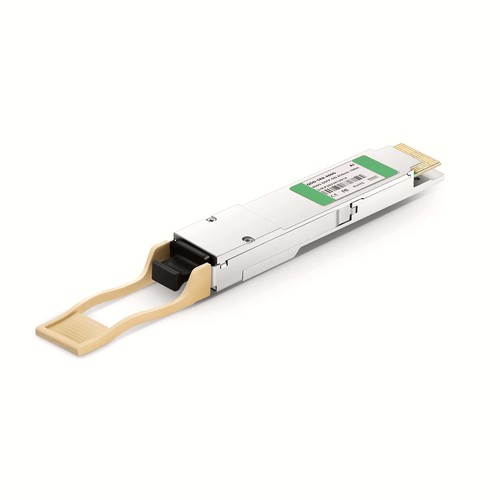 400G QSFP-DDSR8, DR4, FR4 and LR4 modules and cables
 100G QSFP28SR4, CWDM4, LR4 and ER4 transceivers
 DAC CablesDirect attach copper cables from 10G up to 800G
 AOC CablesActive optical cables for rack-to-rack links
 MTP/MPO Trunk Cables8F to 144F multi fiber trunk and harness cables
 Fiber Patch CablesOS2, OM3, OM4, OM5 jumpers with LC, SC, FC, ST connectors
 Armored Patch CablesStainless steel tube protected fiber patch cords
UAE Fiber Optics
UAE office: Abu Dhabi,Al khaleej Al Arabi
Factory add: ZYT industrial area, Shiyan, Baoan district, Shenzhen, China 518000
Popular Products
- Fiber Optic Patch Cord
- Fiber Optic Pigtail
- Fiber Optic Attenuator
- Fiber Optic Patch Panel
- Fiber Optic Adapter